| Kaizen Description |
Earlier, all buttons on the remote were green, which caused confusion for the operator while selecting the ‘Save’ function. To improve visual identification and reduce human error, a red-colored button was added specifically for the ‘Save’ function. This visual change helps the operator quickly recognize the critical button, improves efficiency, and reduces the chances of wrong operation. |
|
|
| Before Situation |
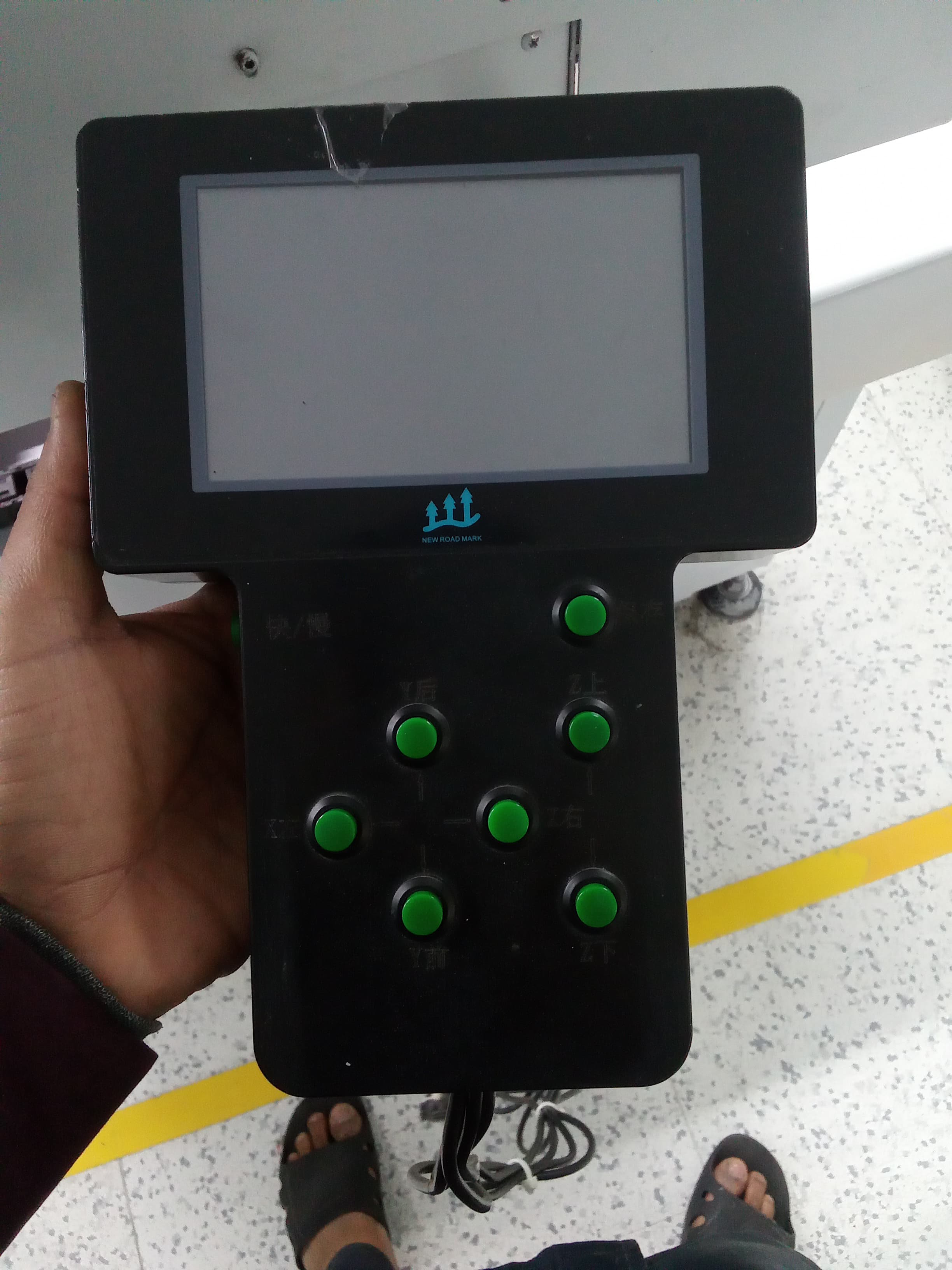
Earlier, all the buttons on the remote were green and looked similar. Because of the same color and design, the operator found it difficult to quickly identify the ‘Save’ button. This caused confusion, increased the chances of pressing the wrong button, and affected working efficiency. |
 |
|
| After Situation |
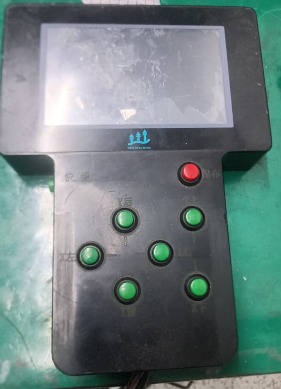
After the improvement, the ‘Save’ button was changed to red color while the other buttons remained green. This color difference made the save function easy to identify. As a result, operator confusion was reduced, the chances of pressing the wrong button decreased, and overall working efficiency improved. |
 |
|